
Avast vs Malwarebytes 2026: Which One Should You Choose?
This guide contrasts Avast’s all-in-one security suite with Malwarebytes’ specialized malware removal. This post helps you determine if you need a comprehensive defender or a lightweight, on-demand cleaner.

By Ellie Updated July 31, 2026


Choosing between Avast vs Malwarebytes often feels like a difficult decision, but it usually comes down to one question: Do you need a 24/7 digital bodyguard or a heavy-duty cleaner? Most users waste time comparing them as direct competitors, but they serve fundamentally different purposes in a modern defense stack.
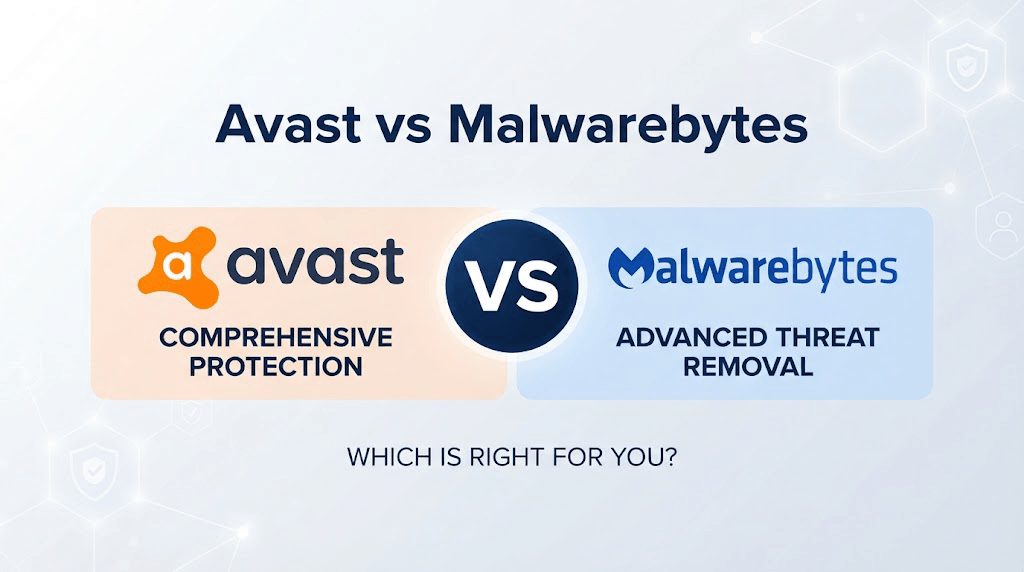
If you are currently deciding between Avast or Malwarebytes for your system, you are likely worried about system bloat or security gaps. The short answer: Avast is an all-in-one antivirus suite. Malwarebytes is a remediation specialist. They aren't just alternatives; they are often complementary tools.
This guide breaks down the performance, resource usage, and real-world efficacy of both to help you build the right security strategy.
What Is Avast?
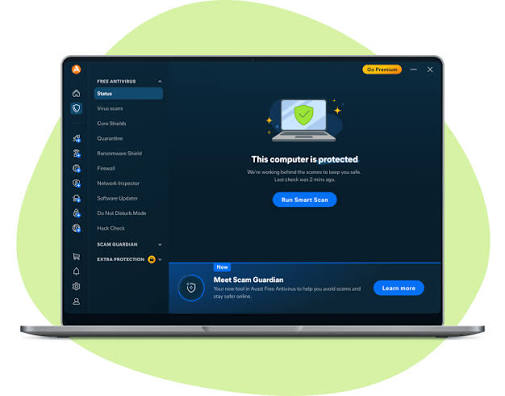
Avast is a comprehensive security suite. It acts as an umbrella for your computer, monitoring network traffic, blocking phishing links, and running a persistent, real-time file scanner. It is designed to be the "always-on" gatekeeper.
Core Features:
- Real-time Antivirus: Scans for known viruses, worms, and Trojans.
- Web Shield: Blocks malicious URLs before they load in your browser.
- Network Inspector: Scans your Wi-Fi for vulnerabilities.
- Sandbox: Allows you to run suspicious files in an isolated virtual environment.
What Is Malwarebytes?
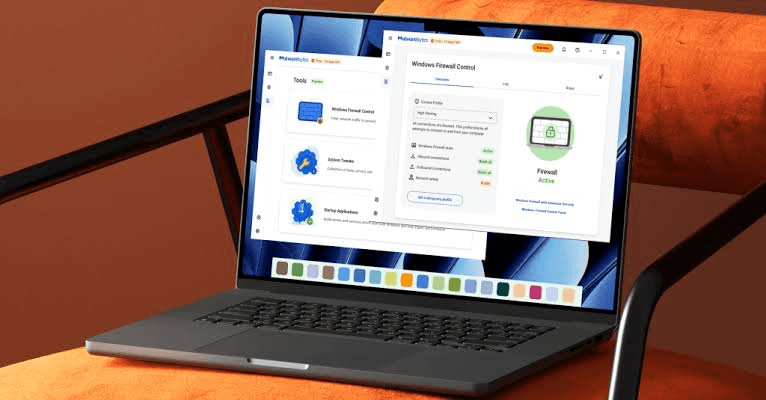
Malwarebytes started as a niche tool to clean up infections that traditional antivirus software missed. It is lighter and focuses on "behavioral analysis", looking for how a program acts rather than just checking if it matches a list of known viruses.
Core Features:
- Heuristic Detection: Identifies zero-day threats and ransomware behavior.
- Remediation: Highly effective at rooting out stubborn malware that has already bypassed initial defenses.
- Lightweight Footprint: Generally uses fewer system resources than full-suite antivirus software.
Head-to-Head: Feature Comparison Table
|
Feature |
Avast (Free & Premium) |
Malwarebytes (Free & Premium) |
|
Core Philosophy |
All-in-one Security Suite |
Remediation & Behavioral Defense |
|
Real-time Protection |
Yes (Even in Free version) |
Premium only (Free is manual scan) |
|
Firewall |
Included |
Not included |
|
Additional Tools |
Sandbox, VPN, Password Manager |
Browser Guard, Exploit Protection |
|
System Impact |
Medium (Multiple active shields) |
Very Low (Optimized for performance) |
|
Adware/PUP Removal |
Good |
Industry-leading (Best in class) |
|
User Interface |
Feature-rich, prone to upsell pop-ups |
Minimalist, focused |
Detailed Comparison: Why They Differ
While both aim to keep your system secure, they utilize distinct approaches to threat detection and resource management. Here is how they stack up across key performance categories.
1. Feature Ecosystem: All-in-One Suite vs. Specialized Scanner
- Avast: Designed to be the only security software you need. It includes a built-in firewall, a sandbox for testing suspicious files, a Wi-Fi network inspector, and a password manager. If you want a "set-and-forget" dashboard that manages your entire digital hygiene, Avast is superior.
- Malwarebytes: Focuses on prevention through detection. It lacks a firewall or password manager, intentionally remaining lightweight. Its "Browser Guard" extension is exceptional at blocking malicious ads and trackers, making it a better choice for users who prefer third-party browsers to manage their web security.
2. Threat Detection Strategy
- Avast: Relies on a massive, traditional threat database. Its strength lies in signature-based detection, it recognizes millions of known viruses instantly. It is excellent at stopping "classic" malware before it ever touches your drive.
- Malwarebytes: Pioneers heuristic and behavioral analysis. It excels at spotting zero-day threats (new viruses) by monitoring how programs behave rather than just checking names. It is the gold standard for removing "Potentially Unwanted Programs" (PUPs), such as browser hijackers that traditional antiviruses often ignore.
3. System Resource Usage
- Avast has a larger footprint. Because it runs multiple shields (Web, Mail, File, Behavior), it requires more CPU and RAM. On older hardware or gaming rigs, you might notice frame drops or longer boot times.
- Malwarebytes is significantly leaner. It is often installed alongside an existing antivirus to provide a "second opinion" without dragging down your system performance.
4. User Experience & "Nagware"
- Avast: Known for an aggressive upselling strategy. Free users frequently encounter pop-ups encouraging upgrades to Premium/Ultimate suites or prompts to install additional Avast-branded software.
- Malwarebytes: Offers a much cleaner interface. It is designed to run silently in the background. The Premium upgrade path exists, but it is far less intrusive compared to Avast’s marketing tactics.
5. Privacy & Trustworthiness
- Avast: In recent years, Avast faced significant backlash regarding data-harvesting practices. While they have updated their privacy policies, privacy-conscious power users often remain skeptical.
- Malwarebytes: Has maintained a strong reputation for "User-First" privacy. They emphasize that they do not monetize user metadata for advertising, making them a preferred choice for organizations with strict privacy requirements.
6. The "Free" Dilemma: avast vs malwarebytes free
When comparing avast vs malwarebytes free versions, the limitations dictate your security strategy:
- Avast Free Antivirus: You get the core shields. It is a fully functional, real-time antivirus. The trade-off is the aggressive upselling; you will see pop-ups suggesting you upgrade to the Premium suites.
- Malwarebytes Free: This is an on-demand scanner only. It does not offer real-time protection in the free version. You have to manually open the app and run a scan. It is excellent for a one-time deep clean, but it will not protect you against new threats in real-time unless you pay for the Premium version.
The Essential Security Layer: Data Recovery
Security software is not a silver bullet. If ransomware encrypts your files, even the best antivirus might fail. A robust security strategy requires a backup layer.
If you are configuring your PC for optimal security, don't rely solely on malware blocking. You need a recovery plan. We recommend CBackup as your free backup solution.
Why pair CBackup with your security software?
- Ransomware Protection: If malware infects your system and locks your data, an antivirus might clean the virus, but it cannot decrypt your files. A clean backup in CBackup ensures you can restore your data instantly.
- Resource Efficiency: CBackup runs silently in the background, making it the perfect partner for resource-heavy antivirus suites.
- Cross-Platform: It handles file transfers and backups across Windows seamlessly, acting as a failsafe that doesn't conflict with your active protection tools.
Conclusion
The decision between Avast and Malwarebytes isn't a simple choice between two identical competitors, as they serve fundamentally different roles. Avast provides an all-in-one, "always-on" security suite, whereas Malwarebytes serves as a specialized, lightweight remediation expert focused on behavioral analysis. In practice, these tools are often best used as complementary layers of defense. To ensure complete security, pair your chosen antivirus strategy with a reliable backup solution like CBackup to safeguard your data against potential loss.
FAQs
Can I run Avast and Malwarebytes together?
Is Avast or Malwarebytes better for gaming?
Does Malwarebytes replace Avast?
Which is better for privacy?
How can I remove "grayed-out" or stubborn malware?
Free Get CBackup Now

Secure & Free