
 CBackup


Create full system images, back up entire disks or specific partitions to different storage devices, and selectively protect important files or folders such as Documents, Pictures, and Videos.

Only saves changes made since the last backup, reducing backup time and storage space.

Schedule a backup task to run automatically at a given time. You can choose from the daily/weekly/monthly mode depending on how often you change your data.

Automatically trigger backups based on specific system events such as user logon, user logoff, system startup, or shutdown, ensuring timely protection without manual intervention.

Launch backup tasks instantly when a USB device is plugged in, covering system, disks, folders, or files according to your preferences.

Easily backup to your local disk, external hard drive, USB flash drive, CD/DVDs, network shared folders, and NAS devices.

Effortlessly protect and restore complete or selected email content, including messages and contacts with email backup tools. Compatible with all leading email providers.

Secure all Outlook data, such as emails, contacts, notes, calendars, and tasks, on local, external, or network drives, with support for Gmail, Hotmail, and other accounts linked to Outlook.

Automatically remove outdated backup images based on time or quantity to free up storage space.

Quickly recover entire Windows system to a previous working state, which is ideal for fixing crashes, malware infections, or failed updates without reinstalling the OS or losing data.

Fully recover a drive, including all partitions and data, making it perfect for replacing a failed disk or migrating your system and files to a new drive.

Recover specific files or folders from a backup, offering a fast and flexible way to retrieve accidentally deleted or lost documents without restoring the whole system or disk.

Beyond restoring a system image to the original machine, you can also perform a system recovery on different hardware with secure boot support.

In addition to recovering lost files from a specific file backup task, you can mount system, disk, or partition image files as virtual drives to access and retrieve needed data.

Recover system to modern computers with UEFI firmware, ensuring compatibility and smooth boot-up on newer hardware platforms.

Restore your system from a bootable USB or CD when Windows fails to start, helping you recover from critical system crashes or boot errors without needing access to the OS.

You can execute restore operations directly from the command line without launching the CBackup interface.

Ensures optimal disk performance by aligning partitions correctly, especially useful when restoring a system or disk to SSDs or advanced format drives.
In a world where data loss can happen anytime, CBackup ensures your valuable files are safely backed up and quickly recoverable.

Over time, hard drives and SSDs inevitably degrade, and sudden system crashes can make your computer unbootable. without backup, recovering your system may be impossible or extremely costly.

A single mistaken click, drag-and-drop, or quick format can wipe out years of work, precious memories, or critical business data instantly.

Malware can encrypt, corrupt, or permanently delete your data. Ransomware, in particular, locks you out of your own files unless you pay, but with a backup, you can simply restore your data without risk.
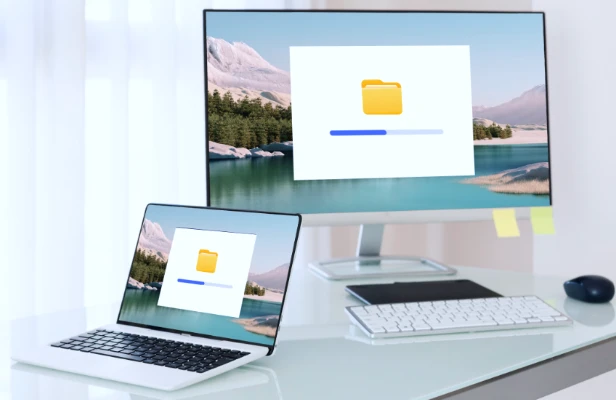
When moving to a new computer or replacing hardware, files can be lost or corrupted during the transfer if not properly backed up.

Whether you’re an individual, a small business, or an IT professional, CBackup offers an intuitive experience that adapts to different skill levels and needs.

Designed to restore systems quickly and reliably, CBackup helps businesses and individuals minimize downtime, avoiding costly interruptions.

From personal PCs to enterprise servers, CBackup scales to fit different workloads and environments, solving the problem of managing multiple backup tools.
Not all backup tools are created equal. While Windows built-in backup and many competitors offer basic protection, they often lack speed, flexibility, or user-friendly design. CBackup combines powerful features with an intuitive interface, ensuring both beginners and IT professionals can protect their data with ease.

Windows Built-in Backup |

Competitors |

CBackup |
|
|---|---|---|---|
| System & Disk Backup | Limited | Available | Full Support |
| Incremental/Differential Backup | Limited | Available | Fast & Optimized |
| Multi-Destination Backup | Limited | Full Support | |
| Ease of Use | Complex for Beginners | Varies | Simple & Intuitive |
| Restore Speed | Moderate | Moderate | High Speed |
| Advanced Backup | Limited | Full Support | |
| Windows Server Support | Client Only | Varies | Full Support |