
Macrium Reflect vs EaseUS: Which Backup & Cloning Tool Wins in 2026?
This guide contrasts Macrium Reflect's advanced boot repair and Rapid Delta Cloning for tech pros with EaseUS's beginner-friendly, wizard-guided disk migration. It covers key specs, pricing shifts, and introduces CBackup as a free cloud alternative.

By Ellie Updated August 10, 2026


Choosing the right disk cloning and system backup solution can mean the difference between a smooth SSD upgrade and a non-bootable Windows nightmare. If you are weighing Macrium Reflect vs EaseUS, you are comparing two of the most popular data protection tools on the market.
This comprehensive guide breaks down the performance, pricing, feature sets, and real-world usability of both applications so you can make the right decision for your system.
What Is Macrium Reflect vs EaseUS?
When evaluating Macrium Reflect vs EaseUS, it is essential to understand that while both protect your data and clone drives, they target slightly different user needs.
What Is Macrium Reflect?
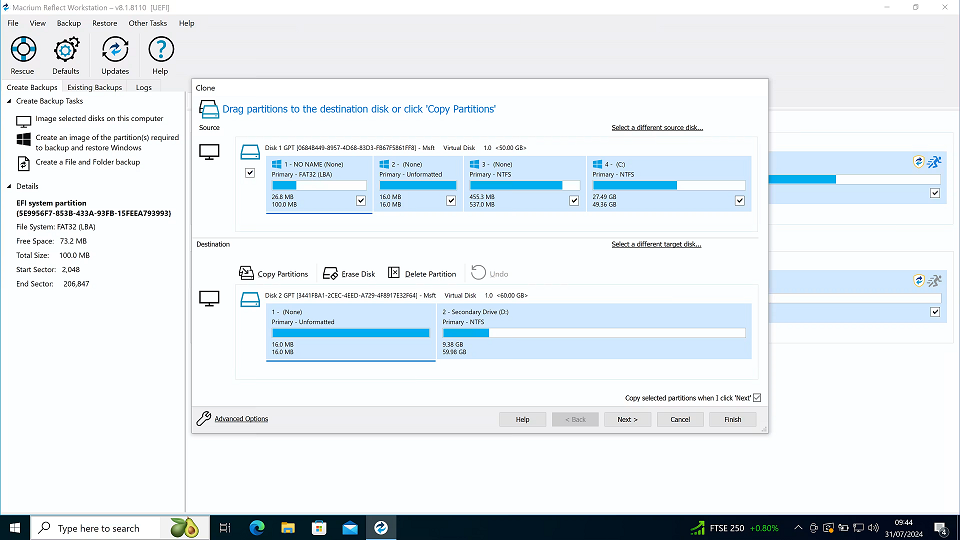
Macrium Reflect is an enterprise-grade backup, disk imaging, and cloning software developed by Paramount Software UK. It is engineered for IT professionals, system administrators, and tech-savvy users who prioritize reliability, deep system control, and advanced boot-repair utilities.
- Core Strength: Exceptional image integrity verification, Rapid Delta Cloning/Restore, and standalone WinPE boot media.
- Best For: Mission-critical system imaging, complex partition layouts, and disaster recovery.
What Is EaseUS (Todo Backup / Disk Copy)?
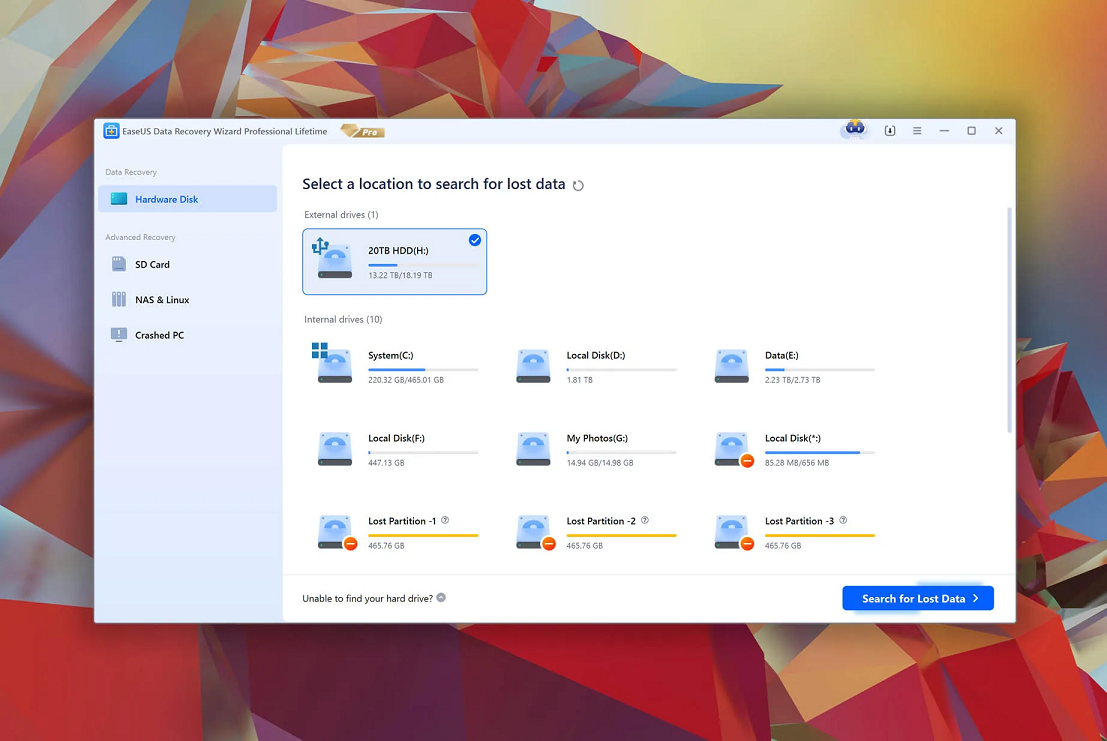
EaseUS offers a suite of data management tools, with EaseUS Todo Backup and EaseUS Disk Copy leading its data protection catalog. EaseUS focuses on beginner-friendly navigation, guided workflows, and automated disk migration.
- Core Strength: One-click disk cloning, intuitive UI, and integrated partition optimizations.
- Best For: Casual users upgrading an HDD to an SSD, quick file backups, and straightforward system migration.
Macrium Reflect vs EaseUS: Quick Feature Comparison
Before diving into deep technical analyses, here is a breakdown of how Macrium vs EaseUS compare side-by-side:
|
Feature / Capability |
Macrium Reflect (Home) |
EaseUS (Todo Backup / Disk Copy) |
|
Primary Target Audience |
IT Pros, Tech Enthusiasts, Sysadmins |
Home Users, Beginners, Office Workers |
|
User Interface |
Classic Windows style, dense with parameters |
Modern, simplified, wizard-driven |
|
Free Version Available? |
Discontinued (30-day trial only) |
Limited free tier (paid for cloning) |
|
Cloning Efficiency |
Exceptional (Rapid Delta Clone) |
Fast (Sector-by-sector & 4K alignment) |
|
Boot Repair Utility |
Advanced (Fixes Windows Boot Configuration Data) |
Basic bootable environment |
|
Image Verification |
Strict, auto-checksum validation |
Standard image check |
EaseUS Todo Backup vs Macrium Reflect: Key Advantages Compared
When evaluating EaseUS Todo Backup vs Macrium Reflect, looking beyond marketing claims reveals clear differences in underlying architecture, speed, system recovery mechanisms, and licensing structures.
1. Disk Cloning & System Migration
Disk cloning remains one of the primary reasons users search for Macrium Reflect vs EaseUS Todo Backup. While both utilities transfer block-level data from a source drive to a target SSD, their implementation and failure-handling strategies differ significantly.
Macrium Reflect Advantages:
- Rapid Delta Clone (RDC): RDC analyzes existing target partition structures against source data and updates only modified file system blocks. When running recurring disk clones or maintaining failover drives, RDC cuts clone execution times by up to 90%.
- Dynamic Partition Layout Control: Macrium offers granular, drag-and-drop partition modification during the pre-clone setup. You can manually adjust alignment offsets, expand or shrink individual partitions, and reorder recovery partitions without corrupting file system tables.
- GUID & Signature Conflict Resolution: During disk migration, Windows can flag cloned drives with duplicate Disk Signatures or GUID collisions. Macrium automatically modifies disk signatures on the target drive to prevent driver offline status or boot loops upon setup completion.
EaseUS Todo Backup Advantages:
- Automated 4K Sector Alignment: EaseUS automatically aligns 4K sectors during cloning to ensure target NVMe and SATA SSDs maintain optimal read/write IOPS performance without requiring manual alignment verification.
- Sector-by-Sector Copy with Bad Sector Bypass: When migrating data from a failing HDD with physical bad sectors, EaseUS skips corrupted storage blocks while preserving accessible data, making drive migration possible on damaged hardware.
2. Backup Reliability & Disaster Recovery
Backup software is only as good as its restore reliability when a system fails to boot.
Macrium Reflect Advantages:
- Macrium Image Guardian (MIG): MIG operates as a background system filter driver that prevents unauthorized applications, such as ransomware, from altering, encrypting, or deleting local ".mrimg" backup files.
- WinPE Environment & ReDeploy: Macrium includes a customizable WinPE/WinRE rescue environment with built-in storage driver injection tools. Its viBoot technology mounts backup images directly as Microsoft Hyper-V virtual machines, while Macrium ReDeploy allows system restoration across dissimilar hardware by updating motherboard chipset and storage controller drivers.
EaseUS Todo Backup Advantages:
- Native Cloud Storage Integration: EaseUS links directly to public cloud endpoints (Google Drive, OneDrive, Dropbox) as well as its proprietary EaseUS Cloud, simplifying offsite automated file and system backups.
- Smart Backup Scheduling: EaseUS features a "Smart Backup" schedule that automatically creates a differential image every 30 minutes whenever changes are detected in monitored directories, ensuring minimal data loss during active workflows.
3. Usability, Interface & Learning Curve
- Macrium Reflect: Designed around an IT administrator mindset. The user interface exposes low-level parameters, including Volume Shadow Copy (VSS) configuration, compression levels, AES-256 encryption keys, and VBScript/PowerShell automation exports. This granular control offers precision for technical setups but creates a steep learning curve for casual users.
- EaseUS Todo Backup: Built for non-technical users with a modern, wizard-based workflow. Backup tasks are organized by straightforward categories, System Backup, File Backup, and Disk/Partition Clone, allowing users to set up routine jobs in just a few clicks.
4. Licensing Structure & Real Value
- Macrium Reflect: Following the retirement of Macrium Reflect Free, Paramount Software shifted to a commercial license model offering 1-Year Subscriptions or Perpetual Home Licenses (which include 1 year of support and minor updates). It serves as a single-utility investment for workstation protection.
- EaseUS: EaseUS splits disk cloning and backup features across separate products (EaseUS Todo Backup Home vs. EaseUS Disk Copy). While EaseUS provides a trial version, unlocking full system cloning and hot restoration requires upgrading to paid annual subscriptions or lifetime upgrades.
Free Alternative Recommendation: CBackup
If the steep pricing or rigid licensing models of Macrium Reflect and EaseUS don't fit your budget, a reliable cloud-first alternative like CBackup offers a zero-cost solution.
CBackup is a free cloud backup service built for Windows users who need automated, offsite data protection without recurring subscription fees or complex setups.
Why Choose CBackup?
- Free Cloud-to-Cloud Backup: Direct cloud-to-cloud sync lets you transfer files between Google Drive, OneDrive, and Dropbox server-side, without using local network bandwidth or keeping your PC turned on.
- PC-to-Cloud Protection: Schedule automatic backups of local folders, large partition drives, and critical system files directly to secure cloud storage.
- Storage Combination Technology: Merge multiple free cloud storage accounts (e.g., combining three 15GB Google Drive accounts into a unified 45GB storage pool) at no extra cost.
- Cost-Free Offsite Security: Secure your data offsite with automated "set-and-forget" backup schedules, delivering robust disaster recovery without expensive desktop license fees.
Conclusion
Ultimately, deciding between Macrium Reflect vs EaseUS comes down to your technical expertise and primary use case. Choose Macrium Reflect if you require rock-solid system disaster recovery, deep boot-repair tools, and rapid incremental cloning. Opt for EaseUS if you prefer a user-friendly, guided setup for straightforward SSD upgrades and everyday file backups. If paid licensing barriers leave you searching for a zero-cost solution, CBackup provides an ideal cloud-first alternative for seamless offsite data security.
FAQs
Is Macrium Reflect Free still available for download?
Can EaseUS clone a larger HDD to a smaller SSD?
Why is my cloned drive not booting into Windows?
What is the difference between EaseUS Todo Backup and EaseUS Disk Copy?
How does Rapid Delta Clone in Macrium Reflect save time?
Free Get CBackup Now

Secure & Free