
Disk Drill vs EaseUS: Which is Best for You in 2026?
Struggling with Disk Drill vs EaseUS data recovery? This post compares performance and pricing, plus recommends using CBackup to back up your data proactively so you never have to worry about recovery again.

By Ellie Updated August 4, 2026


Losing important files is stressful, and choosing the right software can be overwhelming. When searching for Disk Drill vs. EaseUS Data Recovery, you are likely looking for a tool that balances success rates, price, and ease of use. Both are industry leaders, but they cater to different types of users and technical scenarios.
This guide breaks down the performance, pricing models, and usability of these two tools to help you decide which one fits your needs.
What is Disk Drill?
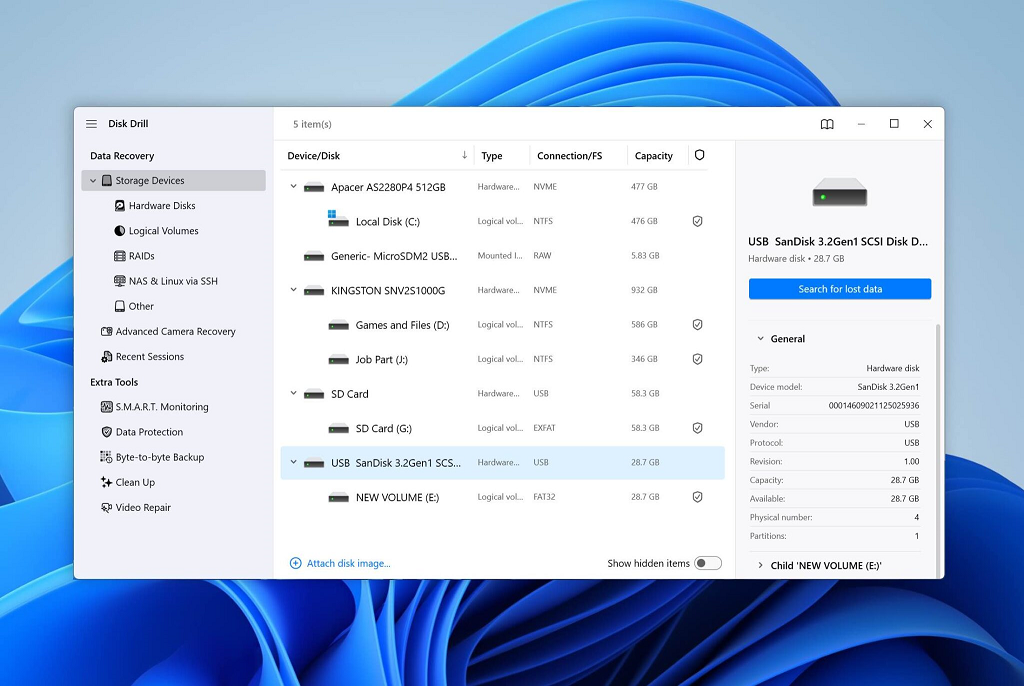
Disk Drill is an advanced data recovery solution developed by CleverFiles. It is highly regarded for its robust scanning algorithms and specialized recovery features. It is often the preferred choice for IT professionals and users dealing with corrupted drives or complex file systems.
- Best for: Deep scans, corrupted/damaged drives, and users who want proactive data protection.
- Key Advantage: Includes "Recovery Vault" technology to prevent future data loss and offers a one-time purchase license.
What is EaseUS Data Recovery Wizard?
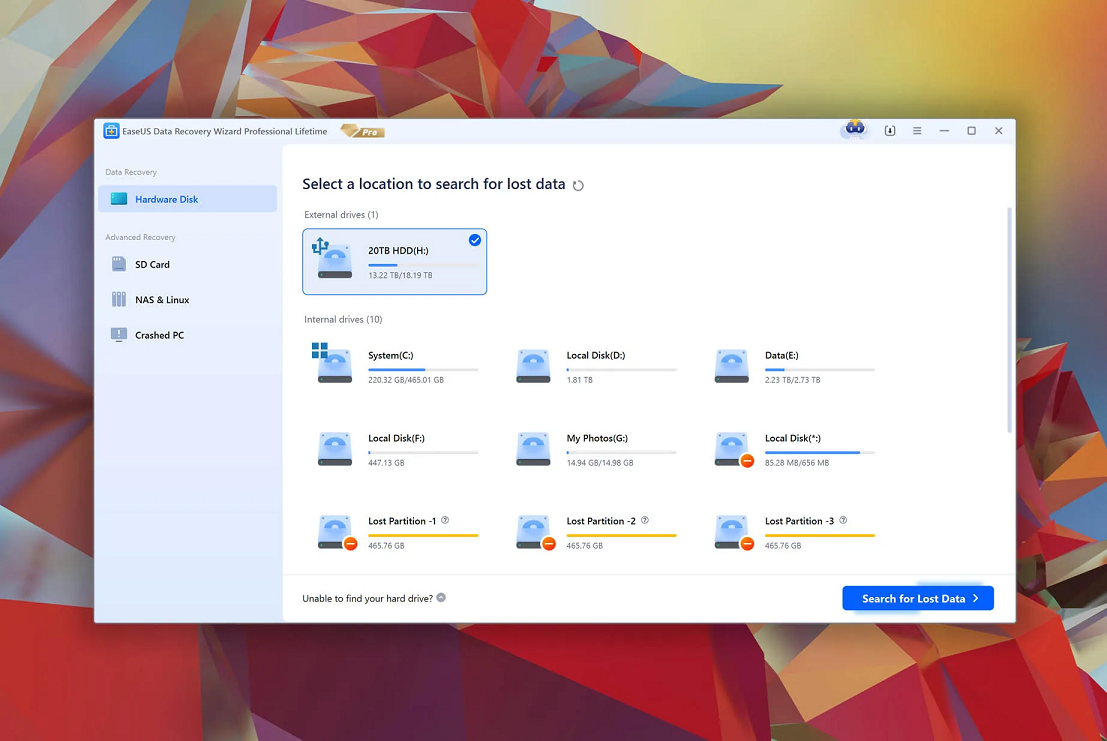
EaseUS Data Recovery Wizard is a long-standing tool known for its extreme user-friendliness. Its interface is designed as a wizard, walking users through the recovery process step-by-step. It is the go-to for casual users who need a straightforward, "it just works" experience.
- Best for: Beginners, accidental deletions, and quick, simple recoveries.
- Key Advantage: Highly intuitive interface and a generous 2GB free recovery limit for casual tasks.
Disk Drill vs EaseUS Data Recovery: Head-to-Head
Choosing between these two powerhouses requires looking beyond the marketing claims. While both are capable, they handle data loss scenarios with different technical philosophies.
|
Feature |
Disk Drill (CleverFiles) |
EaseUS Data Recovery Wizard |
|
Best For |
Complex partitions, Mac/APFS, RAW recover |
Quick accidental deletion, Windows, ease of use |
|
Deep Scan Engine |
Aggressive (Focus on file signatures) |
Systematic (Focus on file structure) |
|
Previewer Reliability |
High (Supports diverse formats) |
Very High (Fast loading for common formats) |
|
OS Roots |
Strong legacy in macOS |
Strong legacy in Windows |
|
Resource Usage |
Moderate to High (due to indexing |
Low to Moderate |
1. Deep Scan Mechanics: How They "Find" Your Files
- Disk Drill: Its strength lies in its Signature-based Scanning. When the file system is corrupted or metadata is lost, Disk Drill ignores the file system map and scans for "signatures" (the unique headers of file types). This makes it superior when dealing with heavily damaged drives or RAW partitions that appear "unallocated."
- EaseUS: It prioritizes Reconstruction-based Scanning. It is exceptionally fast at traversing the existing (or slightly damaged) file system tree to find missing files. If your data loss is due to simple deletion or formatting (without heavy corruption), EaseUS often finds the directory structure faster, preserving the original file names and folder paths more accurately.
2. File Preview Capabilities
The "preview" function is the most critical feature to verify file integrity before recovery.
- Disk Drill: Offers a highly compatible previewer that can handle a wider range of file types, including some obscure professional formats. If you are recovering high-res photos or video projects, Disk Drill’s preview often provides a clearer indication of whether the file is recoverable or fragmented.
- EaseUS: Optimizes for speed. Its previewer is incredibly snappy for standard office files (Word, Excel, PDF) and common image formats (JPG, PNG). For the average user, the preview experience feels more seamless and "application-like."
3. Operating System Compatibility & File System Support
- Mac/APFS Optimization: If you are a macOS user, Disk Drill is generally the more mature choice. It was built with deep roots in the Apple ecosystem and offers more stable performance on modern APFS and HFS+ partitions.
- Windows/NTFS Optimization: EaseUS is a Windows powerhouse. Its compatibility with NTFS, FAT32, and exFAT is nearly flawless. If your data loss incident involves a standard Windows external hard drive or SD card, EaseUS typically encounters fewer compatibility roadblocks.
4. System Resource Usage (The "Hidden" Performance Factor)
- Disk Drill: Features like "Recovery Vault" work in the background to monitor file deletions. While excellent for prevention, this continuous monitoring consumes more background system resources. During a full deep scan, Disk Drill may be more taxing on your CPU compared to EaseUS.
- EaseUS: Generally lighter on system resources during operation. If you are performing a scan on a laptop with limited RAM or an older CPU, EaseUS is less likely to cause system lag or thermal throttling.
To help you make the final call:
- Choose Disk Drill if: You are dealing with a "dead" drive, a complex partition failure, or you are using a Mac. You value the ability to perform deep, signature-based scans and don't mind a slightly more technical interface.
- Choose EaseUS if: You accidentally deleted files, formatted an SD card, or need to restore a drive on a Windows machine quickly. You value a straightforward, fast-loading process that gets you your files back with minimal technical friction.
The Proactive Solution: Prevention with CBackup
While Disk Drill and EaseUS are powerful tools to have in your digital toolkit, they represent the reactive side of data management, fixing a problem after it has already happened. The most efficient way to manage data is to avoid the need for recovery software entirely.
Smart users rely on the 3-2-1 Backup Rule: keep at least 3 copies of your data, stored on 2 different media types, with 1 copy located off-site (in the cloud).
Why Recovery Software Should Be Your Last Resort
Data recovery is never 100% guaranteed. Factors like physical drive damage, data overwriting (the " TRIM" command on SSDs), or severe file system corruption can render even the best software ineffective. Relying solely on recovery tools is a high-stakes gamble. By implementing a proactive backup strategy using a tool like CBackup, you shift the odds in your favor, ensuring that a simple hardware failure or accidental deletion doesn't turn into a catastrophic data loss event.
Key Benefits of CBackup for Data Protection
CBackup acts as an automated safety net, reducing the human error factor that causes most data loss. Here is why it is an essential component of a robust data protection strategy:
- Automated "Set-and-Forget" Backups: You no longer need to remember to copy files manually. CBackup allows you to schedule automatic backups for your PC, ensuring that the latest version of your work is always protected.
- Off-site Disaster Recovery: Storing data on an external hard drive is good, but it doesn't protect you from fire, theft, or physical damage. CBackup sends your data to secure cloud storage, providing an "air-gapped" layer of protection that remains safe regardless of what happens to your physical hardware.
- Smart Cloud-to-Cloud Sync: If you utilize multiple cloud platforms (like Google Drive, OneDrive, or Dropbox), CBackup allows you to sync and manage them in one place, preventing data fragmentation and making it easier to track your files.
- Cost-Efficiency vs. Data Recovery Services: Professional data recovery services can cost hundreds or even thousands of dollars. An annual subscription to a backup service like CBackup is a fraction of that cost, providing peace of mind that effectively acts as "data insurance."
Conclusion
Ultimately, both Disk Drill and EaseUS are industry-leading solutions, but they cater to different scenarios. Disk Drill is the superior choice for complex, corrupted partitions and Mac environments, while EaseUS offers a more intuitive, user-friendly experience for quick Windows-based file recovery. However, the most effective data protection strategy is prevention, not reaction. We highly recommend using CBackup to automate your backups, ensuring your data is always safe and reducing the necessity of ever needing recovery software in the first place.
FAQs
Is EaseUS better than Disk Drill for beginners?
Which software has a better free version?
Can I recover files from a formatted drive?
Are these tools safe to use?
Do they work on both Mac and Windows?
Free Get CBackup Now

Secure & Free