
Best Seagate Dashboard Alternative: Top Backup Tools in 2026
This guide reviews the best seagate dashboard alternatives, including CBackup, Seagate Toolkit, EaseUS Todo Backup, Acronis, IDrive, and Macrium Reflect, helping you secure external drives and manage automated backups seamlessly.

By Ellie Updated September 18, 2026


If your Seagate Dashboard software is no longer launching, failing to recognize your external drive on Windows 11/macOS, or throwing unhandled execution errors, you are not alone.
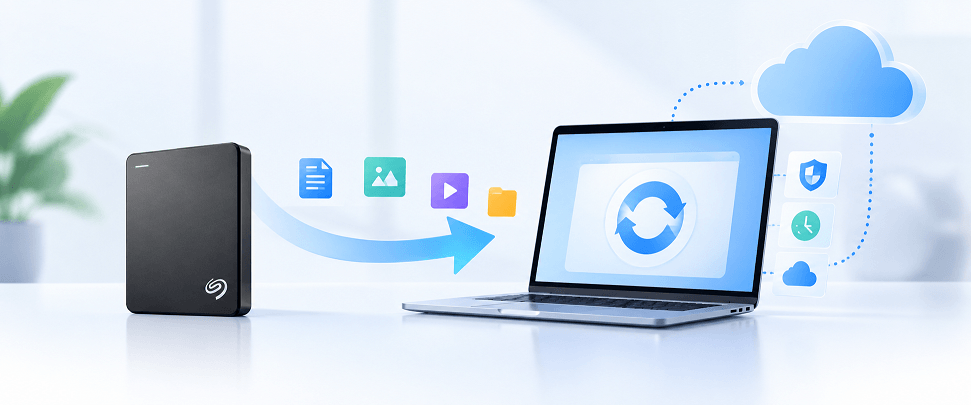
As a legacy utility originally designed for older Windows and macOS ecosystems, Seagate Dashboard has been officially phased out by Seagate. Modern operating system updates, evolving security models, and shifting cloud storage APIs have left Dashboard prone to software crashes, missing driver dependencies, and severe security vulnerabilities.
Whether you need a direct official replacement for drive encryption or a robust, modern data protection tool with unlimited cloud expansion, this guide breaks down the best Seagate Dashboard alternatives in 2026, starting with how Seagate’s official software ecosystem has evolved.
Seagate Dashboard vs. Seagate Toolkit: What Changed?
Seagate replaced Dashboard with Seagate Toolkit, a streamlined utility designed for current Windows 10/11 and macOS Monterey (or later) systems. However, Toolkit is not a 1:1 feature clone. Many legacy features powered by third-party integrations (like Memeo) or obsolete APIs have been completely deprecated.
1. Dashboard to Toolkit Feature Migration Matrix
| Legacy Feature (Seagate Dashboard) | Toolkit Status | Current Modern Solution / Alternative |
| Memeo Instant Backup | ❌ Deprecated | CBackup / EaseUS Todo Backup (Incremental file/folder backup) |
| Social Backup (Facebook / Flickr) | ❌ Deprecated | CBackup (Direct PC-to-Cloud & Cloud-to-Cloud sync) |
| Mobile Backup | ❌ Deprecated | IDrive / CBackup Mobile (Cross-platform mobile protection) |
| Local File Backup Plan | Supported (Windows only) | Seagate Toolkit (Basic) / CBackup (Advanced schedules) |
| Folder Mirroring / Sync | Supported (Win & Mac) | Seagate Toolkit Mirroring |
| Seagate Secure (AES 256 Encryption) | Supported | Seagate Toolkit (Requires supported drive with hardware lock) |
| System Image / Disk Cloning | ❌ Never native in Dashboard | Macrium Reflect / EaseUS Todo Backup |
2. Supported Seagate & LaCie Hardware Models
If you plan to use Seagate Toolkit for basic sync or hardware encryption, ensure your drive model is actively supported:
- Supported Seagate Drives: One Touch (HDD/SSD/Desktop/Hub), Ultra Touch (HDD/SSD), Backup Plus (Slim/Ultra Slim/Desktop/Hub), Fast SSD, Expansion Portable/Desktop (Select models), FireCuda Gaming (HDD/SSD/Hub).
- Supported LaCie Drives: LaCie Mobile Drive/SSD, Rugged (Mini/USB-C/SSD/RAID Pro/Secure), d2 Professional, 1big Dock, 2big RAID/Dock.
- Non-Supported Legacy Drives: Older FreeAgent GoFlex drives, legacy Expansion drives (pre-2016), and non-Seagate third-party external drives cannot utilize Toolkit for backups. For these drives, a universal third-party solution is required.
Quick Comparison: Top 6 Seagate Dashboard Alternatives
To help you choose the right tool based on your specific requirements (e.g., free usage, cloud integration, or system disk cloning), review the comparison matrix below:
| Backup Software | Pricing Model | Local Backup | Cloud Sync / Cloud Space | Disk Cloning / OS Image | Hardware Management (LED/Lock) | Ideal User Profile |
| CBackup | Free (Generous free cloud tier) | Yes | Yes (Google Drive, OneDrive, Dropbox, CBackup Cloud) | Partial (File/Partition) | ❌ No | Best Overall: Users seeking a lightweight, zero-cost cloud & local backup strategy |
| Seagate Toolkit | Free (Official) | Yes (Win) | ❌ No (Local Sync only) | ❌ No | Yes (Seagate/LaCie only) | Official Loyalist: Seagate/LaCie users wanting basic folder sync & hardware security |
| EaseUS Todo Backup | Freemium ($39.95/yr) | Yes | Partial | Yes (High Speed) | ❌ No | Power Users: Users needing quick system image restores and disk upgrades |
| Acronis Cyber Protect | Paid Subscription ($49.99/yr) | Yes | Yes (Acronis Cloud) | Yes (Active Cloning) | ❌ No | Security Focused: Users requiring integrated anti-ransomware & full image backups |
| IDrive | Freemium ($79.50/yr for 5TB) | Yes | Yes (Multi-Device) | Yes | ❌ No | Multi-Device: Families/Users backing up PCs, Macs, and mobile devices in one account |
| Macrium Reflect | Paid Commercial ($79.99) | Yes | ❌ No | Yes (Precision Delta) | ❌ No | IT Pros: Enthusiasts needing exact sector-by-sector disk image recovery |
Third-party software (CBackup, EaseUS, etc.) handles data backup and cloud synchronization across all drive brands, but cannot alter Seagate-specific hardware settings like LED behavior or hardware encryption passwords.
Top 6 Alternatives to Replace Seagate Dashboard
When looking to replace your old utility, several strong options stand out depending on your specific backup, cloud integration, and disk management goals.
1. CBackup (Best Free Cloud & Local Backup Solution)
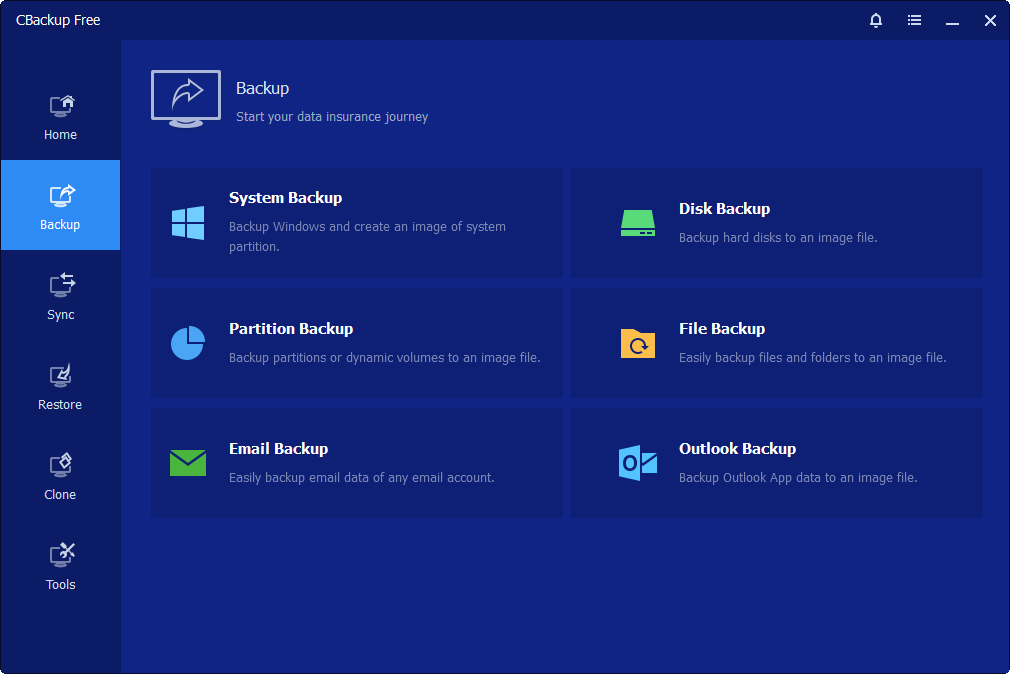
If you are looking for a modern, completely free, and highly versatile free backup tool that goes far beyond what Seagate Dashboard ever offered, CBackup is the top recommendation.
Core Capabilities:
- PC-to-Local & PC-to-Cloud Backup: Easily back up files, folders, or entire partitions from your PC to external Seagate drives, network locations, or public clouds (Google Drive, OneDrive, Dropbox).
- Automated & Incremental Backup: Schedule background backups (daily, weekly, monthly) with smart incremental storage tracking to save space and bandwidth.
- Cloud Storage Combination: Merge free storage space from multiple cloud accounts into one large virtual storage pool, or upgrade to CBackup Professional/Cloud Plans for massive dedicated cloud storage and faster transfer speeds.
Why It Stands Out:
- It features a lightweight installation package that consumes minimal CPU and RAM resources during operation.
- The user interface is exceptionally clean, modern, and entirely devoid of intrusive advertisements or bundled bloatware commonly found in legacy utilities.
- Offers stable, dependable performance for everyday personal and professional file protection, ensuring zero data loss during unexpected system interruptions.
Pros:
- Clean, ad-free interface with minimal CPU and RAM usage during background tasks.
- Universal drive support, works seamlessly with Seagate, Western Digital, Toshiba, or internal SSDs.
- Excellent for hybrid local + cloud protection strategies.
Cons:
- Does not support hardware-level LED/password controls for Seagate drives.
- Focused primarily on Windows desktop operating systems.
Best For: Users who want a seamless, no-cost alternative focused purely on effortless local and cloud backup execution without navigating steep learning curves or dealing with complicated configuration wizards.
2. Seagate Toolkit (The Official Successor)
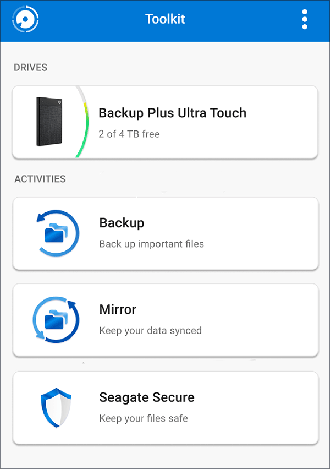
If you prefer staying within the brand ecosystem, Seagate's official modern utility is Toolkit, engineered to directly succeed the legacy Dashboard application.
Core Capabilities:
- Automatic Sync & Mirror: Creates a two-way continuous sync folder between your computer and external drive on both Windows and macOS.
- Hardware Security: Configures password locks and 256-bit AES encryption on supported Seagate Secure drives.
- Drive Customization: Controls status LEDs, RAID configurations (for LaCie 2big/1big), and safe volume ejection.
Why It Stands Out: Offers native hardware integration and immediate recognition of modern portable drives without requiring complex configuration steps.
Pros:
- Native hardware recognition with zero driver conflict on supported modern models.
- Simple, clean user interface with zero setup complexity for basic sync plans.
Cons:
- Windows-only for standard scheduled file backups (Mac version relies on Mirror mode or Time Machine).
- No cloud storage integration or advanced system disk cloning.
Best For: Users who want a familiar, official utility tailored specifically for Seagate and LaCie hardware to handle day-to-day folder syncing, basic backups, and hardware encryption.
3. EaseUS Todo Backup (Best for Speed and Flexible Imaging)
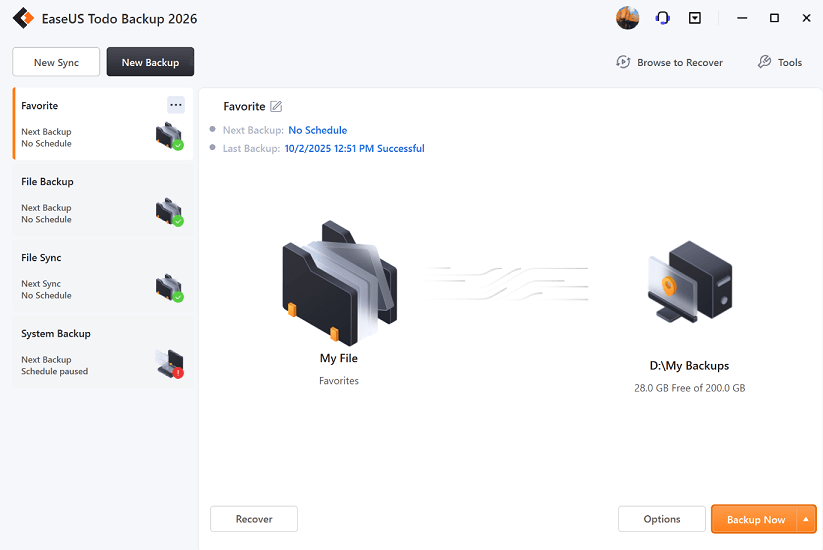
EaseUS Todo Backup is a mature, high-performance software solution designed for both home and office environments, offering powerful, professional-grade features for safeguarding critical personal and business data.
Core Capabilities:
- Full System Image: Captures an exact copy of your OS, system settings, applications, and personal data for disaster recovery.
- Disk & Partition Cloning: Seamlessly migrate data from old HDDs to new external or internal SSDs without re-installing Windows.
- Ransomware Protection: Includes a "Security Zone" partition to protect backup files from malware encryption.
Why It Stands Out: Features extremely fast execution speeds, highly efficient compressed storage formats that save destination disk space, and an attractive, logical interface layout.
Pros:
- Fast backup execution speeds and robust image compression options.
- Flexible scheduling modes (Full, Incremental, Differential).
Cons:
- Advanced cloning and recovery features require upgrading to the paid tier.
Best For: Users looking for blazing-fast local performance alongside comprehensive system imaging options under a straightforward perpetual license.
4. Acronis Cyber Protect Home Office (Best for Advanced Security)
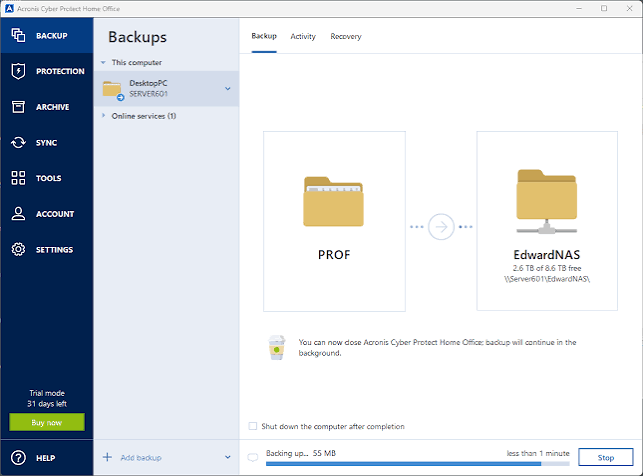
Historically tied closely with Seagate hardware through customized software distributions (such as Seagate DiscWizard), Acronis stands today as a premier standalone, enterprise-grade utility tailored for home and professional use.
Core Capabilities:
- Active OS Cloning: Perform live disk cloning on running Windows systems without requiring a reboot.
- Integrated Cyber Protection: Real-time AI defense detects and blocks ransomware and cryptojacking attacks on the fly.
- Dual Protection: Automatically replicates local external drive backups to the Acronis Secure Cloud simultaneously.
Why It Stands Out: Acts as an all-in-one protection suite combining deep data recovery safety with active malware and cybersecurity prevention.
Pros:
- Comprehensive all-in-one suite combining cybersecurity with enterprise-level backup.
- Sector-by-sector disk imaging for absolute recovery precision.
Cons:
- Subscription-based pricing model can be costly for casual home users.
- Resource-heavy compared to lightweight utilities.
Best For: Power users and professionals who want robust cybersecurity features alongside standard backup routines to protect against modern digital threats.
5. IDrive (Best for Multi-Device Cloud & Local Hybrid Backup)
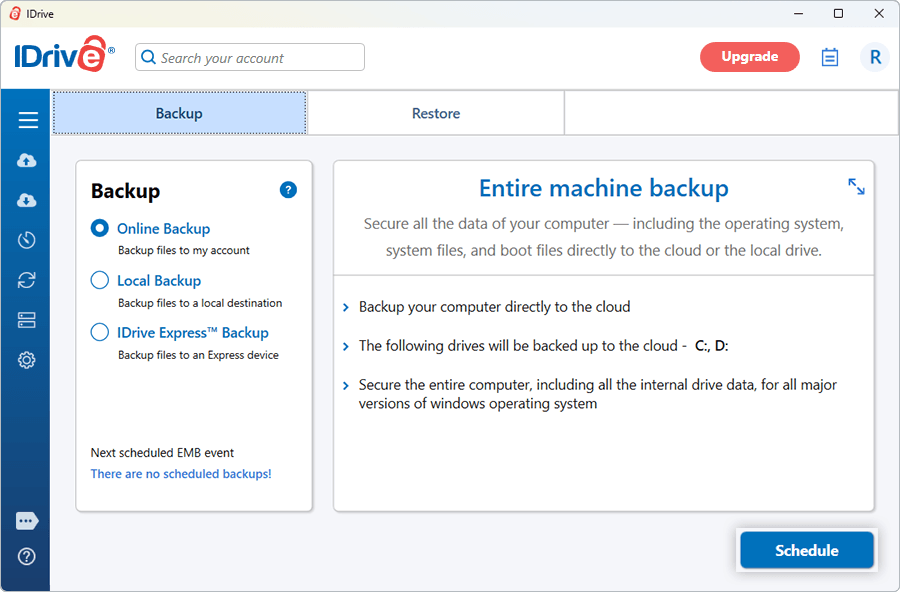
IDrive provides an extensive hybrid cloud strategy, making it a great fit if you manage multiple devices alongside your external storage.
Core Capabilities:
- Multi-Device Backup: Protect unlimited PCs, Macs, iPhones, Android devices, and mapped external drives under a single account.
- Continuous Data Protection: Automatically detects changes to files and backs them up in real time.
- Snapshots & Versioning: Retains up to 30 historical versions of files to easily roll back accidental edits.
Why It Stands Out: Offers single account coverage for infinite device types coupled with powerful local drive mapping capabilities.
Pros:
- Outstanding value for multi-device households.
- True hybrid strategy allowing local external drive mapping alongside cloud storage.
Cons:
- Desktop application UI feels slightly dated compared to modern competitors.
Best For: Users who want to back up their Seagate external drives concurrently alongside internal system files and multi-device cloud datasets.
6. Macrium Reflect (Best for Precision Disk Imaging)
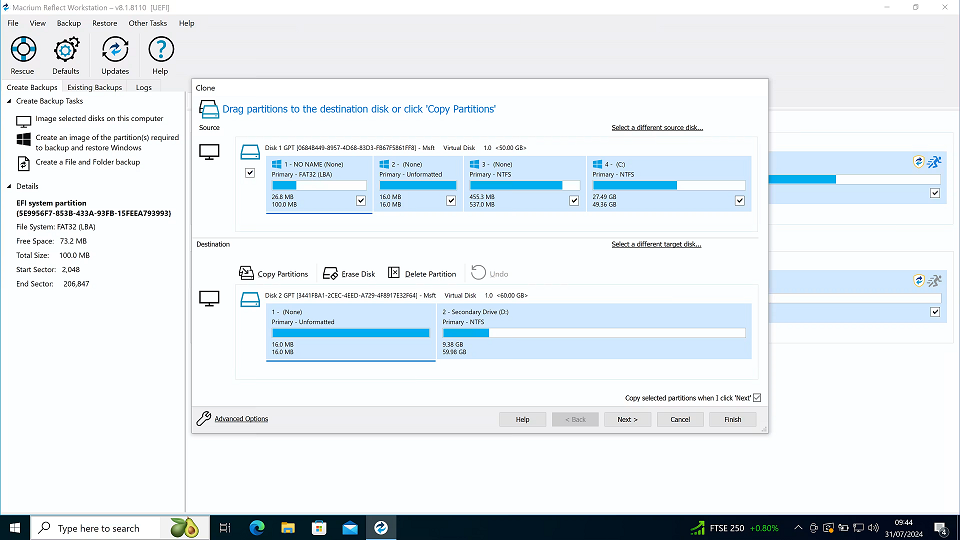
Macrium Reflect is renowned in the IT and enthusiast community for its lightning-fast and reliable disk imaging capabilities, offering enterprise-level reliability for personal data protection.
Core Capabilities:
- Rapid Delta Cloning: Speeds up backup times by only copying disk sectors that have changed since the last backup.
- Bootable Recovery Media: Create custom Windows PE/Linux bootable rescue drives to revive unbootable systems.
- Direct Virtual Drive Mounting: Mount backup image files as virtual local drives in Windows Explorer for easy file extraction.
Why It Stands Out: Features highly reliable image integrity verification routines and minimal CPU/RAM resource consumption during heavy background backup tasks.
Pros:
- Exceptional backup verification and image integrity.
- Highly dependable for bare-metal disaster recovery.
Cons:
- Steeper learning curve for non-technical users.
- Higher license fee for personal home deployment.
Best For: Advanced users and IT administrators who want exact, uncompromised images of their storage drives for absolute disaster recovery assurance.
Conclusion
With Seagate Dashboard officially retired, upgrading to a modern backup solution is vital to protect your critical data from hardware failure or system corruption.
- If you need a free, lightweight, and versatile tool for local PC backups and cloud integration, CBackup is the ideal modern choice.
- If you prefer official hardware integration and password encryption for your newer Seagate drive, switch to Seagate Toolkit.
- For full system cloning and disaster recovery, dedicated imaging tools like EaseUS Todo Backup or Macrium Reflect deliver superior speed and stability.
Choose the software that matches your storage strategy and automate your backup routine today!
FAQs
Will I lose my existing backups if I uninstall Seagate Dashboard?
Can I use third-party software with my existing Seagate external hard drive?
Is CBackup entirely free to use?
Do I need to format my Seagate drive to use a new backup utility?
What should I do if my computer fails to recognize my Seagate external drive?
Free Get CBackup Now

Secure & Free