


How to restore email with CBackup
This article will explain how to restore emails on your mail server using CBackup.

by PublicOwin Lasted Updated January 21, 2026


This function is used to restore email data. If the mailbox emails are lost, then you can use the backup image file created by CBackup to restore the email.
How to Restore Email Backup with CBackup in Windows 10
Prerequisites for Email Restore
CBackup email restore is based on CBackup email backup. You should already have at least one email image made by CBackup (whatever the source email is).
Step 1: Initialize Restore
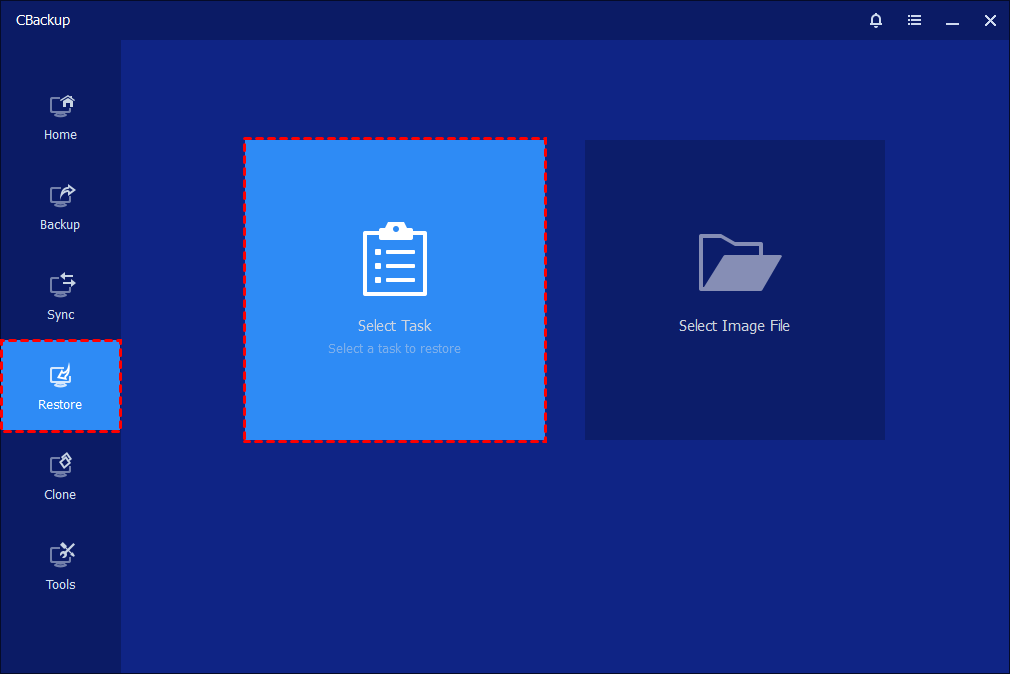
In the left tab page, select "Restore", then select a backup task or image file to continue.
Step 2: Select Task and Source
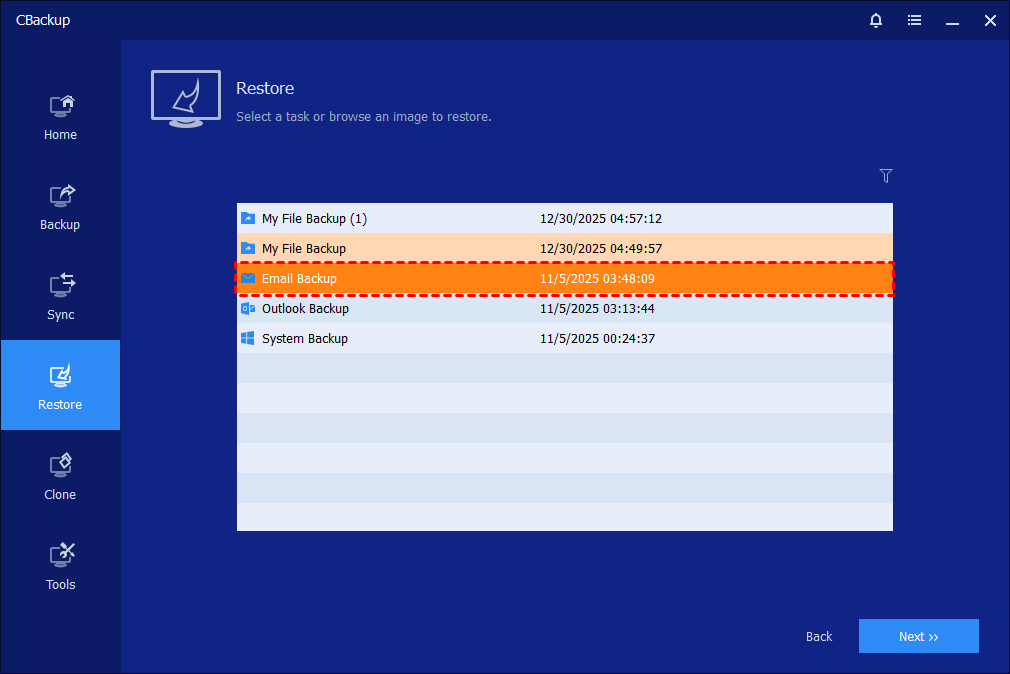
Select Task: all backup tasks are listed. Select an Email Backup Task that want to restore, click "Next" button.
OR
Select Image File: in the pop-up window, browse the drive that saved backup files to select an email backup file, and click the "Open" button.
Step 3: Select Backup Point
Select a backup point based on the created time and backup type, and select the email lists in the image file that will be restored.
Then select the email that you want to restore, followed by the "Export" button to continue.
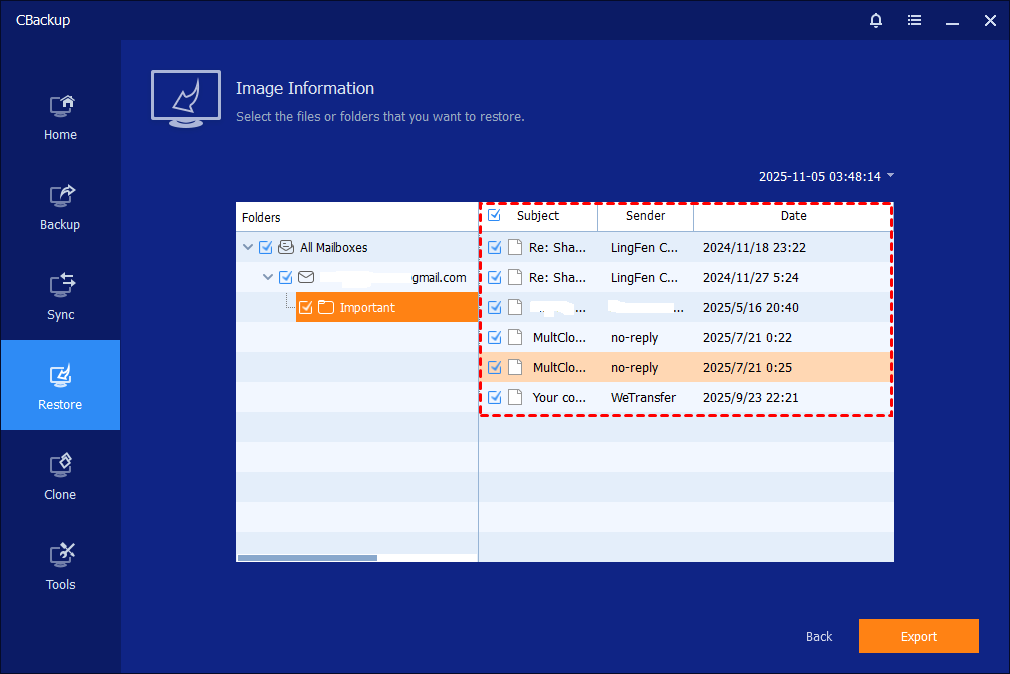
Note: Each backup will generate an image at a given time, allowing multiple time points to be selected.
Step 4: Select Location
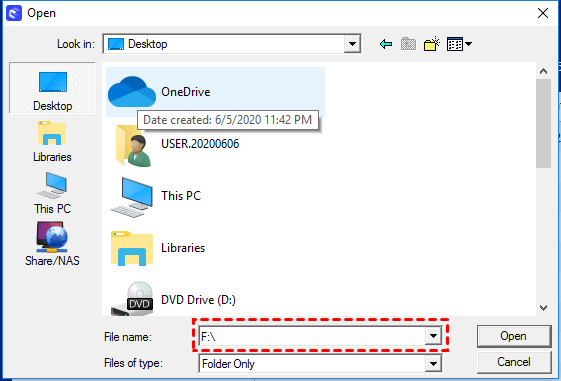
Click "Open" to select a target storage path to store the mailbox files
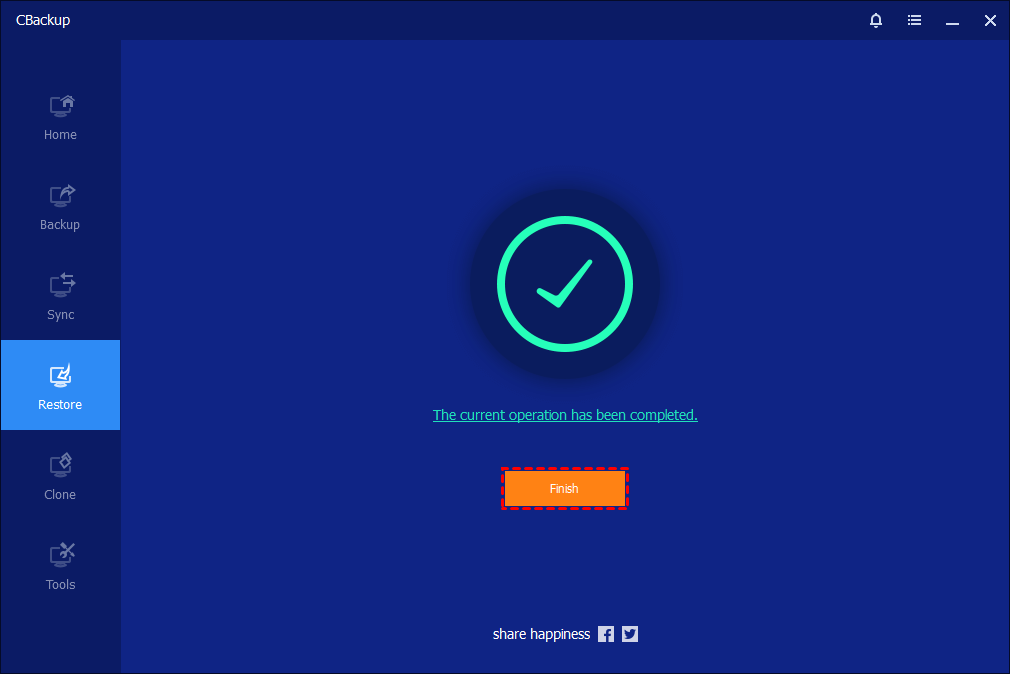
Step 5: Finish Restore
Click "Finish" once the process has completed.
Conclusion
Email restore is a crucial step in protecting and restoring essential email data, especially for businesses and individuals, as it helps avoid the risks of data loss and information leakage.
Free Get CBackup Now

Secure & Free