
How to Change the Language on CBackup
Learn how to change the language on CBackup from English to Deutsch, Français, 日本語, etc.

by PublicOwin Lasted Updated February 6, 2026


Good News:
CBackup supports multiple languages, including English, German (Deutsch), French (Français), Japanese (日本語), Italian (Italiano), Spanish (Español), 简体中文 (Simplified Chinese), and 繁體中文 (Traditional Chinese). If you are trying to set it to your native language, here's how to change the language.
How to Change Language in CBackup
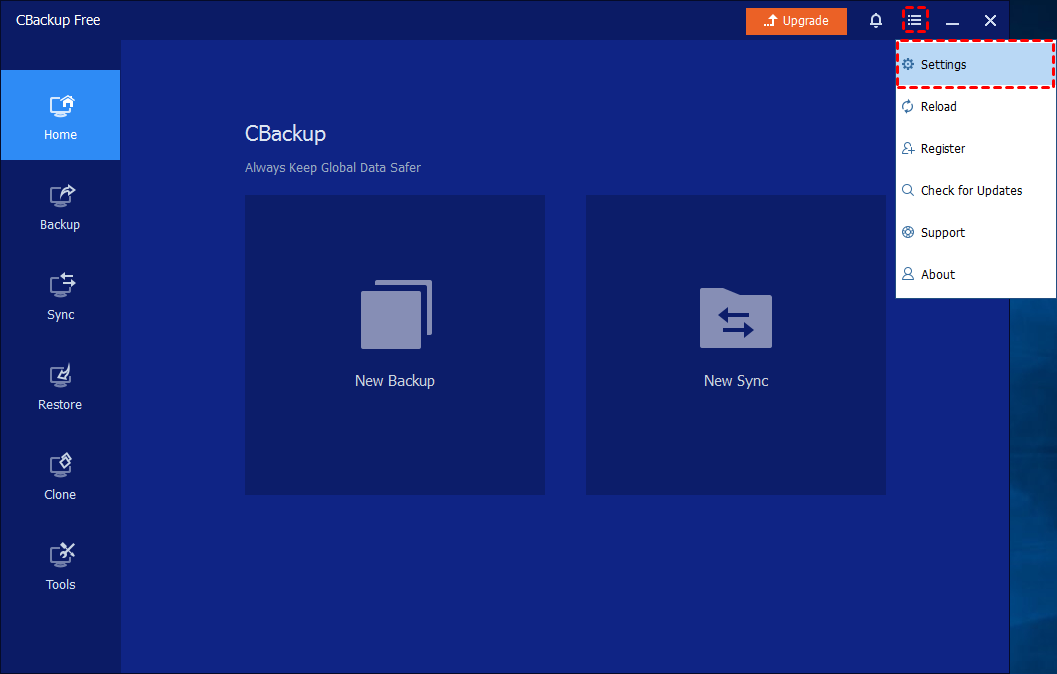
Step 1: Click Menu-Settings
On the Home window, click "Menu" and select "Settings" in the drop-down list.
Step 2: Change Language in Advanced Settings
In the pop-up window, click the "Advanced" tab, and then you can choose the language you want to use on CBackup. To save the change, please click the "OK" button.
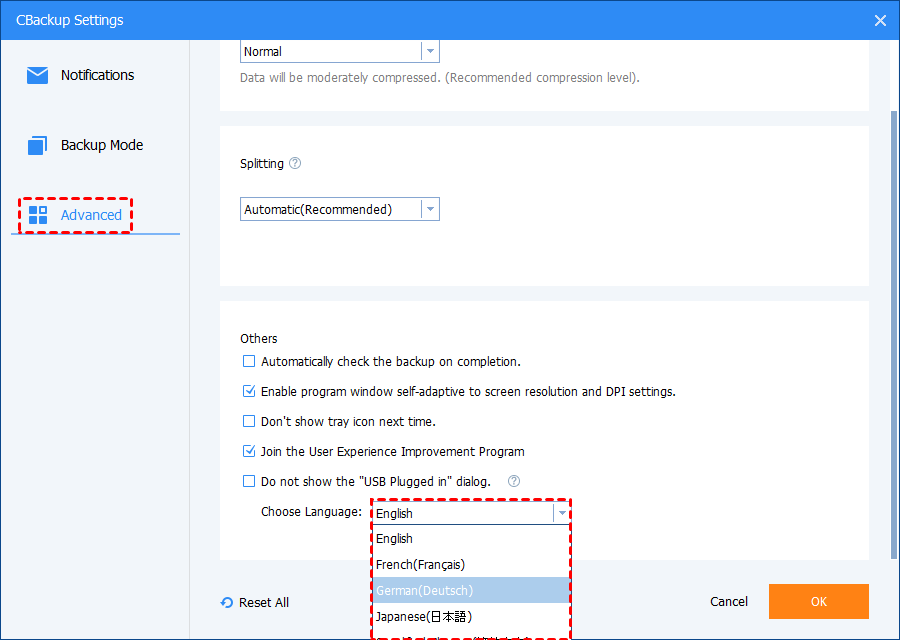
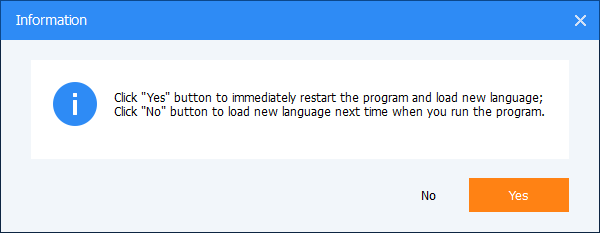
After "Step 2", an "Information" window will pop up and let you choose when you want to load a new language.
Free Get CBackup Now

Secure & Free